AI Automation for Local Businesses: Lead Capture, Follow-Up and Booking System Explained
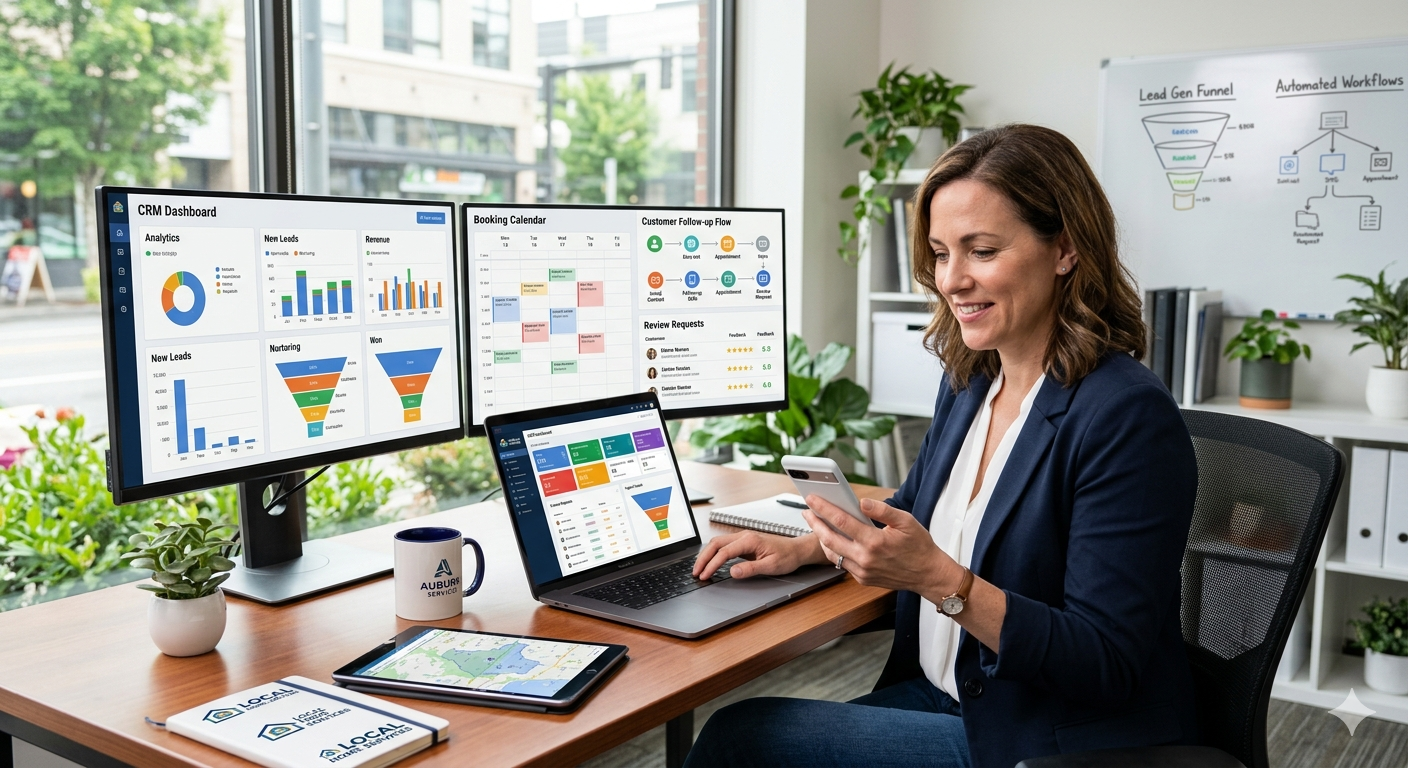
Most local businesses don’t have a lead problem. They have a follow-up problem.
Leads come in, but no one responds fast enough. Messages are missed. Appointments are forgotten. And potential customers quietly go to competitors instead.
This is where AI automation creates immediate impact.
This guide explains a practical AI automation workflow for local businesses using a plumbing company as the main example. The same structure can also work for other service businesses such as HVAC, electrical, roofing, cleaning, landscaping, pest control, med spas, dental clinics, and auto repair.
Where Most Local Businesses Lose Money
- Slow response time
- No structured follow-up
- No recovery of missed leads
- No reactivation of past customers
Why AI Automation Works So Well for Local Businesses
…
Most local business owners are focused on service delivery, not marketing operations. They are busy handling jobs, managing staff, dealing with customer issues, and keeping the business moving. That leaves very little time for lead follow-up, appointment recovery, review generation, and reactivation campaigns.
This is where automation becomes valuable. Instead of expecting the owner or receptionist to remember every step, the system handles the routine work automatically:
- Captures leads from forms, ads, and website visits
- Notifies staff immediately
- Follows up by SMS and email
- Pushes leads toward booking
- Re-engages no-shows and cold leads
- Requests Google reviews from happy customers
- Reactivates old contacts already sitting in the database
The business keeps doing its core service work. The automation handles the follow-up and revenue recovery happening around it.
The Real Backbone of the System
The clearest structure in this workflow is not “AI” by itself. It is an end-to-end customer journey system for local businesses.
That backbone looks like this:
- Capture the lead
- Route the lead correctly
- Notify staff instantly
- Follow up until the lead responds or books
- Recover missed appointments
- Turn happy customers into reviews
- Reactivate old leads and past customers
Once you understand that structure, the plumbing example becomes easy to adapt to almost any local service niche.
The System in One Sentence
Capture every lead, follow up instantly, and keep engaging until the customer books or responds.
Step 1: Create a Simple Lead Capture Funnel
The first part of the system is a mobile-friendly funnel. In the plumbing example, the page promotes emergency plumbing services and makes it easy for a visitor to submit their information or book a call.
This matters because many local service leads come in when the customer has an urgent problem. They are usually on their phone, not browsing a desktop site. For that reason, the page should be simple, clear, and built for mobile first.
A strong local business funnel should include:
- A clear service promise
- A short form
- A direct booking option
- Trust elements such as team photos, reviews, or service guarantees
- A design that works well on mobile
For plumbers, that might be 24/7 emergency service. For other businesses, it could be same-day estimates, free consultations, or fast scheduling.
Step 2: Trigger an Immediate Lead Workflow
Once a lead fills out the form, the system should activate immediately. This is where many local businesses lose money. A customer may submit a form, then hear nothing back for hours or even days. By then, they may have already hired a competitor.
The automation workflow solves that by doing several things at once:
- Assigns the lead to the business owner or team member
- Applies a tag such as new lead
- Marks the source, such as website or Facebook
- Sends an internal staff notification by text
- Sends an email to the lead confirming the inquiry
- Sends SMS follow-up messages until the person responds
In the plumbing case, the owner or receptionist gets a text with the lead information right away. At the same time, the customer gets a quick message saying the business received the request and will reply as soon as possible.
This immediate response creates trust and increases the chance of booking.
Step 3: Separate Responsive Leads From Passive Leads
Not every lead is equal. Some fill out a form and never reply. Others respond quickly and are ready to move forward.
A good automation system sorts these people automatically. When someone replies to the SMS or email sequence, they move into a separate workflow. That tells the staff this is now an active, engaged lead that needs personal attention.
This step helps local businesses prioritize the right people instead of wasting time guessing who is serious.
Step 4: Push the Lead Toward a Booking or Service Purchase
The entire lead workflow should move toward one outcome: a booked appointment, inspection, consultation, estimate, or paid service.
For plumbers, that could be an inspection or emergency service call. For another local business, it may be a quote request, consultation, or scheduled visit.
The key point is that every message in the workflow should have a purpose. It should not just “follow up.” It should move the customer closer to the next step.
That is one of the strongest selling points of this type of system. Many local businesses already generate leads, but their booking rate is low because follow-up is inconsistent. Improving that conversion rate can create major revenue gains without increasing ad spend.
Step 5: Recover No-Shows and Missed Appointments
This is one of the most overlooked parts of local business automation.
When someone misses an appointment or forgets to reschedule, most businesses simply move on. But many of those leads are still valuable. Life gets busy, people forget, and timing changes.
An automated no-show recovery sequence helps bring them back by sending messages like:
- Checking whether everything is okay
- Offering a new scheduling link
- Reminding them that help is still available
In practice, some people return on the third follow-up, some on the fifth, and some much later. The point is that automation keeps the opportunity alive without demanding extra effort from staff.
Step 6: Turn Good Service Into More Google Reviews
Once a customer becomes a paying client, the system should not stop. A strong local business workflow includes review generation.
In the plumbing example, satisfied customers can automatically receive an email or SMS asking for a Google review. That helps improve local rankings, trust, and future lead flow.
The smart part is filtering for satisfaction first. If the customer is unhappy, the system should not push a public review request. If the customer is clearly happy, that is the moment to ask.
This makes the process more strategic and protects the business while still increasing review volume over time.
Step 7: Reactivate the Existing Database
One of the highest-value automations for any local business is database reactivation.
Many service businesses have years of old contacts sitting unused in a CRM, spreadsheet, inbox, or booking system. These might include:
- Past customers
- Old leads who never booked
- People who asked for quotes
- Contacts from previous marketing campaigns
Instead of paying for more cold traffic, the business can reactivate people who already know the brand.
A typical reactivation campaign might offer:
- A limited-time discount
- A maintenance special
- A seasonal checkup
- A priority booking offer for the first group who responds
For a plumber, that could be a maintenance offer or inspection. For another business, it could be a tune-up, cleaning package, service special, or returning-customer promotion.
If the list is large, even a small response rate can generate strong returns because the contacts are already warm compared with brand-new leads.
Why This Offer Is Easy to Sell
The reason this system works as an offer is simple: it solves expensive operational leaks.
Instead of pitching “AI” in a vague way, you can pitch specific business outcomes:
- Faster follow-up
- Higher booking rates
- Fewer missed opportunities
- More recovered appointments
- More Google reviews
- New revenue from old contacts
For a plumber, this might mean more emergency calls booked and fewer leads forgotten. For another local business, it may mean more consultations, more repeat jobs, or more review-driven growth.
That makes the system relevant well beyond plumbing.
How to Position This for Small Businesses in General
Even though the source example focuses on plumbing, the broader positioning should be about helping local businesses remove friction from their sales and follow-up process.
You can frame it like this:
- “You handle the service. The system handles the follow-up.”
- “You focus on customers. The automation captures and nurtures leads.”
- “You do the work. The backend system helps convert more opportunities.”
That message works because most owners do not want another complicated tool. They want a simple system that saves time and makes money.
Suggested Tool Stack
The workflow in the transcript is built inside GoHighLevel, which is used as the main platform for funnels, CRM, workflows, SMS, email, tagging, and database reactivation.
For many small businesses, an all-in-one setup like this is attractive because it keeps the operation in one place. The exact software can vary, but the essential features should include:
- Lead capture forms
- Pipeline or CRM management
- SMS and email automation
- Tagging and workflow triggers
- Appointment reminders
- Review request automation
- Reactivation campaigns
A Practical Sales Angle
If you are offering this as a service, the strongest entry point is often not the full build. It can be one clear win.
For example, database reactivation is a strong foot-in-the-door offer because:
- The business already owns the contacts
- There is no extra ad spend required
- The ROI can appear quickly
- The risk feels lower to the client
From there, you can expand into full lead capture, booking automation, no-show recovery, and review generation.
Simple End-to-End Workflow for a Local Business Automation System
- Create a mobile-friendly funnel for one core service.
- Connect website forms, ad forms, or landing pages to the CRM.
- Trigger instant internal notifications when a lead comes in.
- Send immediate email and SMS acknowledgment to the lead.
- Continue follow-up until the person responds or books.
- Move responsive leads into a more urgent workflow.
- Recover missed appointments with automatic rescheduling prompts.
- Request Google reviews from satisfied customers only.
- Run reactivation campaigns to old leads and customers.
- Track booking rate improvements and revenue impact over time.
Where This Fits Into AI Client Onboarding and Support Automation
This system is not just about lead capture. It is a core part of AI client onboarding and support automation for local businesses.
Final Takeaway
AI automation for local businesses works best when it is tied to a simple business outcome: more leads converted with less manual follow-up.
The plumbing example shows how powerful that can be, but the real opportunity is much broader. Any local business that loses leads, forgets follow-up, misses review requests, or ignores old contacts can benefit from the same system.
The winning offer is not “AI” by itself. It is a reliable backend process that helps small businesses capture more value from the opportunities they already have.
Source
This article is based on content from Hamza’s YouTube video, AI automation for local businesses.