
How AI Handles Customer Support Automatically (Step-by-Step Workflow)
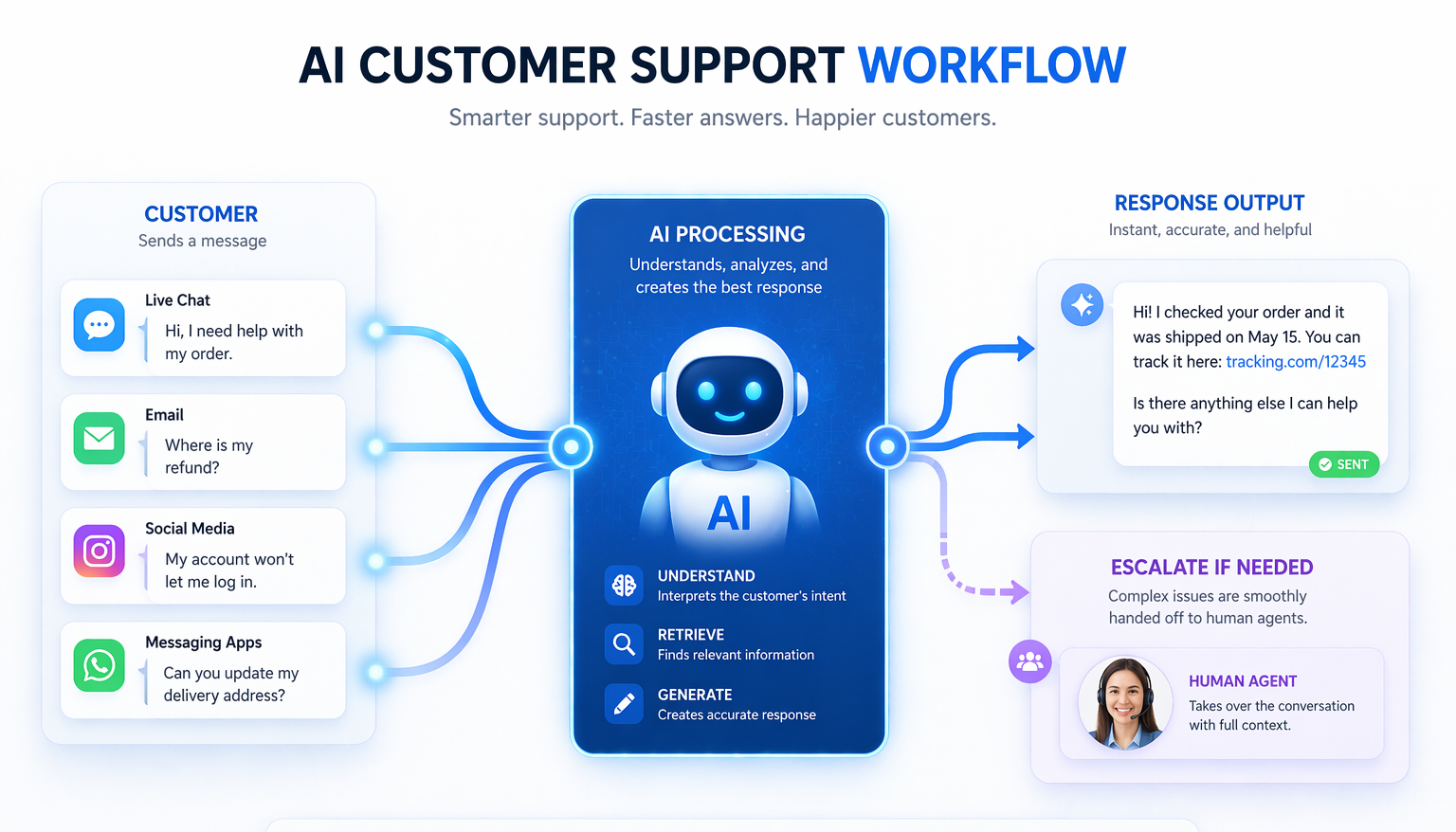
This article is based on a practical workflow for automating customer support using AI. Instead of watching a full video and figuring things out yourself, this guide breaks it down into a clear, structured process you can understand and apply.
Source: Based on a real workflow demonstrated in video
How to automate customer support with AI (based on a real workflow)
Automating customer support is not about replacing humans. It’s about removing repetitive work so you can focus on the cases that actually require attention.
The workflow shown below demonstrates how AI can handle incoming messages, generate responses, and only involve a human when necessary.
What this workflow does
At a high level, the system works like this:
- A customer sends a message (email, chat, or form)
- AI reads and understands the request
- The system decides what type of request it is
- A response is generated automatically
- If needed, the message is passed to a human
This removes the need to manually read and respond to every message.
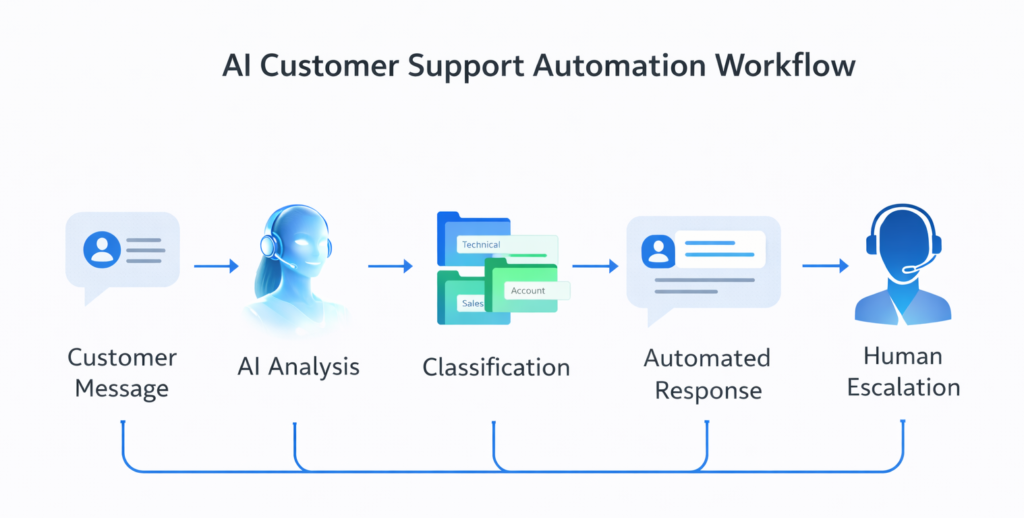
Step-by-step breakdown
1. Capture incoming messages
All support requests need to go into one system.
This could be:
- Email inbox
- Chat widget
- Contact form
The key is consistency. AI can only help if messages are centralized.
2. Let AI analyze the message
The system uses AI to:
- Understand what the customer is asking
- Identify intent (refund, question, issue, etc.)
- Extract key details
This replaces the manual step of reading and interpreting every message.
3. Classify the request
Once the message is understood, it is categorized.
Typical categories include:
- Frequently asked questions
- Simple requests (status, access, instructions)
- Complex or sensitive issues
This step determines what happens next.
4. Generate a response automatically
For common requests, AI can generate a full reply.
Examples:
- Order status explanations
- Instructions for refunds or cancellations
- Basic product or service questions
These responses can be sent instantly without human involvement.
5. Use AI as a draft for complex cases
When the issue is more complex, AI still helps.
Instead of answering fully, it:
- Generates a suggested reply
- Provides context for the human agent
You review and send.
This reduces response time significantly.
6. Escalate when needed
Not everything should be automated.
The system can detect when:
- A customer is frustrated
- The issue is unclear
- A refund or sensitive case is involved
These cases are passed directly to a human.
Why this approach works
Most customer support is repetitive.
By combining:
- AI understanding
- Message classification
- Automated responses
You remove a large portion of manual work.
The result is:
- Faster responses
- Less workload
- More consistent communication
Limitations
This setup is powerful, but not perfect.
- AI can misunderstand messages
- Responses depend on your input quality
- Complex cases still need humans
You should always monitor and improve the system over time.
Video reference
The workflow explained above is demonstrated in this video. If you want to see the full setup and logic behind it, watch it here:
Conclusion
AI customer support automation is not about building a complex system.
It’s about structuring your support so that:
- AI handles repetitive requests
- Humans handle complex issues
Summary: By combining message capture, AI analysis, classification, and automated responses, you can reduce manual support work significantly while still maintaining quality.