
What is Sora, and how does it work?
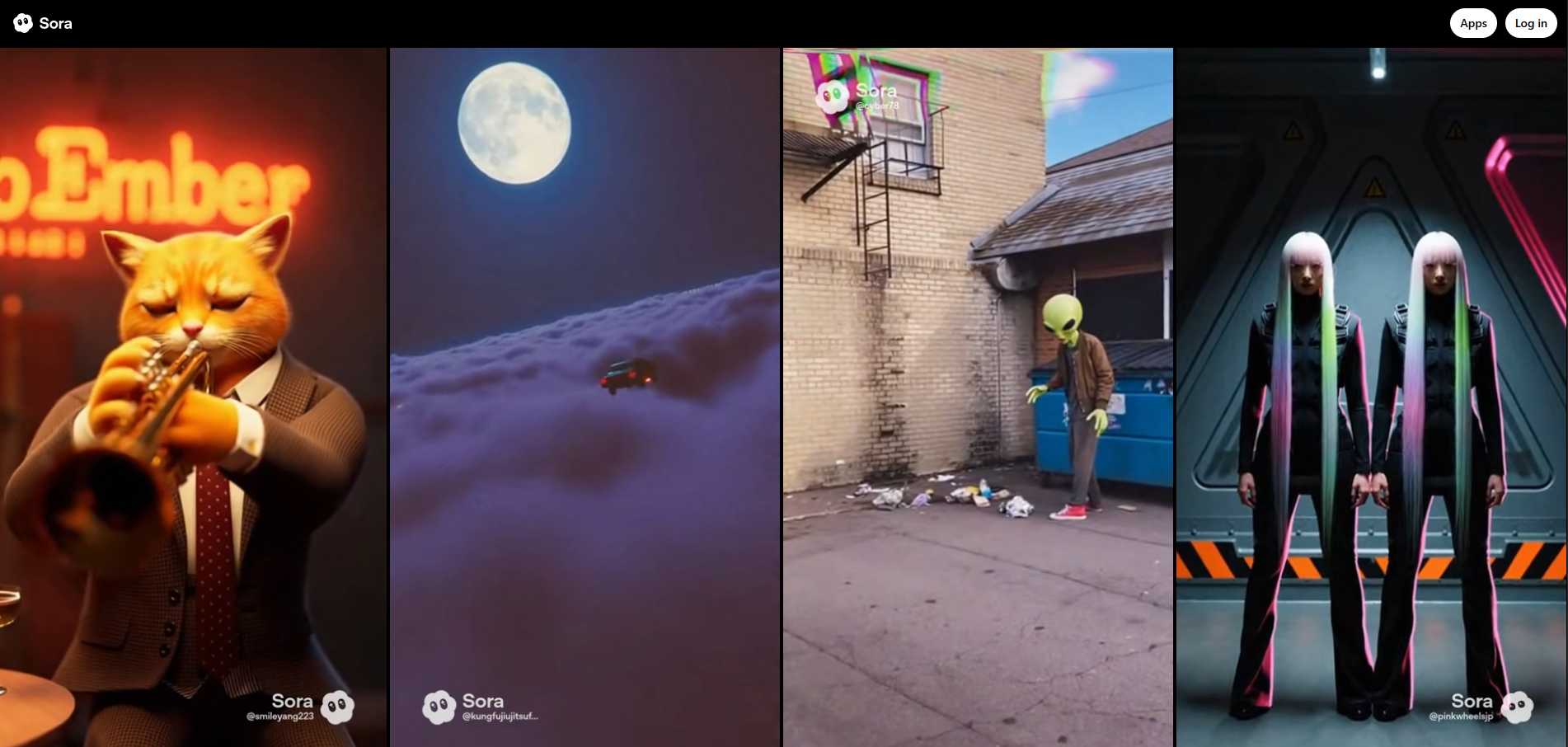
Sora is one of the most talked‑about new AI tools because it can turn simple text prompts into surprisingly realistic videos. This article explains what Sora is, how it works in simple terms, what it can (and can’t) do, and why it matters for everyday creators, businesses, and curious beginners.
What is Sora?
Sora is an artificial intelligence model created by OpenAI that can generate short videos from text instructions. Instead of needing cameras, actors, and expensive software, you type a description and Sora tries to create a matching video clip.
For example, you could write: “A golden retriever surfing on a big wave at sunset, cinematic, slow motion” and Sora will attempt to produce a realistic video that looks like a professionally filmed scene.
Who created Sora?
Sora was developed by OpenAI, the same organization behind ChatGPT and the DALL·E image generation models. It’s part of a broader family of “generative AI” tools designed to create content: text, images, audio, and now, full-motion video.
What makes Sora different from older tools?
Before Sora, most AI video tools were very limited. Many could only generate:
- Short, blurry video clips
- Very simple animations or loops
- Videos that broke physics (melting objects, strange hands, glitchy motion)
Sora aims to improve on this by producing longer, higher-quality videos that better follow your instructions and obey basic rules of physics and everyday reality, like gravity, reflections, shadows, and perspective.
How does Sora work? (Simple explanation)
Under the hood, Sora is extremely complex, but we can understand it with a simple analogy: imagine a super‑powered video editor that has watched millions of hours of footage and learned to “dream up” new videos from scratch.
Step 1: Learning from huge amounts of video
First, Sora is trained on enormous datasets of videos and related text descriptions. During training, the model learns patterns such as:
- How objects look from different angles
- How things move over time (people walking, cars driving, water splashing)
- How scenes change with lighting, weather, and camera movement
- How words in prompts relate to visual styles and actions
This training doesn’t “memorize” specific videos in a simple way. Instead, Sora learns a statistical sense of what plausible scenes look and feel like, so it can generate new ones.
Step 2: Turning noise into video
Like many modern generative AI models, Sora uses a process similar to diffusion. Think of it as starting from a screen full of static (like an old TV with no signal) and gradually cleaning that noise up step by step until a clear video appears.
During generation, Sora repeatedly refines its guess of what the video should look like at each frame, guided by your text prompt and what it has learned about how videos behave.
Step 3: Understanding time, not just images
Images are like single snapshots. Video adds a tricky extra dimension: time. Sora doesn’t just generate one frame at a time; it has to understand how frames connect so that motion looks smooth and consistent.
To handle this, Sora treats a video as a block of data in space and time, then learns patterns across that entire block. This helps it maintain things like:
- Character consistency from one frame to the next
- Smooth camera movement
- Realistic physics (objects not teleporting or randomly changing shape)
What can Sora do today?
Sora is still under development and not widely available to the general public yet, but early demonstrations show a wide range of possible uses.
Text to video
The main feature of Sora is generating videos directly from written prompts. You describe what you want, and the model tries to create it. Some examples include:
- Aerial cityscapes with flying cars and neon lights
- Nature scenes like forests, waterfalls, or oceans
- Short story moments with characters acting out a scene
- Stylized animations in specific art styles
Video editing and extension
In principle, a model like Sora can also be used to:
- Extend existing videos (make a clip longer in the same style)
- Change elements in a scene (for example, “make it snow” or “turn day into night”)
- Generate extra camera angles or variations of the same scene
How these features will be packaged and released will depend on how OpenAI integrates Sora into tools and products.
Multiple styles and looks
Sora does not just create realistic videos. It can also generate stylized content, such as:
- Cartoon or anime‑inspired animation
- Pixel art or retro video game styles
- Painterly or cinematic film looks
- Dream‑like, surreal, or abstract visuals
The style is usually controlled by the words you use in the prompt, similar to how you would describe a photo style to an image generator.
What are the limitations of Sora?
Despite impressive results, Sora is not magic and still makes mistakes. Understanding its limits helps you use it more effectively and think critically about its output.
Physics and logic errors
Sora tries to obey real‑world physics, but it can still get details wrong. Examples include:
- Hands or fingers appearing slightly distorted or changing shape
- Objects passing through each other instead of colliding
- Reflections or shadows that don’t quite match the scene
- Characters that morph or glitch when they turn around
Difficulty with specific details
AI video models often struggle with small, precise elements, such as:
- Text on signs, books, or clothing
- Complex patterns on fabrics
- Faces in the background of a crowded scene
Sora may give you the general idea but not every pixel‑perfect detail you had in mind.
Prompt sensitivity
The quality of the video can vary a lot depending on how you phrase your prompt. Vague instructions can lead to confusing clips, while overly complicated prompts may overwhelm the model. Learning to “prompt” effectively is part art, part science.
What could people use Sora for?
Once tools like Sora become more accessible, they could influence many creative fields and everyday workflows.
Content creation and marketing
Creators and businesses might use Sora to:
- Mock up ad concepts before filming real campaigns
- Create social media clips quickly for testing ideas
- Visualize product demos or explainer videos
- Generate background visuals for presentations or streams
Education and training
Teachers, trainers, and students could use Sora to:
- Illustrate historical events or scientific concepts
- Create simple training scenarios or role‑plays
- Generate visual aids for lessons and talks
- Prototype educational animations without a big budget
Film, games, and storytelling
For entertainment industries, Sora could become a brainstorming and pre‑production tool:
- Storyboards that move, not just static frames
- Concept scenes to explore lighting, mood, and staging
- Background plates or establishing shots
- Pre-visualization for action sequences or complex scenes
It is unlikely to replace entire productions on its own anytime soon, but it may significantly speed up early creative stages.
Ethical questions and safety around Sora
Powerful video generation raises serious questions. OpenAI and the broader AI community are actively debating how to deploy models like Sora responsibly.
Deepfakes and misinformation
One major concern is that realistic AI video could be misused to create convincing fake footage of real people. This makes it easier to spread misinformation, smear reputations, or cause political confusion.
To reduce these risks, responsible deployment of Sora requires:
- Strong content policies to prevent harmful use
- Technical safeguards against creating videos of real people without permission
- Watermarking and detection tools that help identify AI‑generated clips
Copyright and data
Questions also arise about the videos used to train Sora. Creators and rights holders are asking:
- Where did the training data come from?
- How are artists, filmmakers, and actors credited or compensated?
- What rules should apply when AI models learn from publicly available media?
Expect ongoing legal and policy debates around how to balance innovation with fair treatment of creators.
Impact on jobs and creative work
Tools like Sora may change how some creative jobs are done, especially for tasks that are repetitive or low budget. At the same time, they can open new roles such as:
- AI prompt specialists and creative directors
- Editors who refine AI‑generated drafts into polished work
- Consultants who help organizations use AI ethically and effectively
Rather than a simple “replace or not” story, Sora is likely to reshape workflows, reduce some manual tasks, and raise the bar on what small teams can produce.
How might you interact with Sora in the future?
At the moment, Sora is being tested with a limited group of users. Over time, you may see it show up in a variety of tools and platforms, not just as a standalone demo.
Possible future experiences
In the future, you might:
- Use Sora in a video editing app to create filler shots or transitions
- Access Sora through a web interface where you type prompts and get clips
- Combine Sora with other AI tools (like ChatGPT) to generate scripts and then videos
- See Sora‑style technology powering features inside creative software you already use
How easy and affordable this will be depends on licensing, computing costs, and how carefully companies roll out access.
FAQ about Sora
Is Sora available to everyone right now?
No. Sora is being tested with selected users, such as safety researchers and creative professionals, so OpenAI can learn more about its strengths, weaknesses, and potential risks before broader release.
Do I need special hardware to use Sora?
When Sora becomes available through online services, you likely won’t need powerful hardware at home. The heavy computing work happens on servers in the cloud, and you’ll use it through a website or app.
Can Sora make videos of real people?
OpenAI has signaled that it intends to restrict generating videos of real individuals, especially public figures, to help prevent deepfakes and abuse. Any responsible deployment of Sora will include strong rules about impersonation and privacy.
Will Sora replace filmmakers and video editors?
Sora may change how certain tasks are done, especially simple or low‑budget visuals, but professional filmmaking and editing involve storytelling, taste, collaboration, and real‑world production skills that AI cannot fully replicate. It is more likely to become a powerful assistant than a full replacement.
How long can Sora’s videos be?
Public demos show that Sora can generate longer clips than many earlier tools, but there are still practical limits based on computing resources and quality. Expect early versions to focus on short sequences that can be edited together into longer pieces.
Conclusion
Sora is a major step forward in AI video generation, transforming plain text prompts into moving, visually rich scenes. For beginners, the main idea is simple: you describe what you want to see, and the AI does its best to “film” it for you, drawing on what it has learned from huge amounts of video data.
At the same time, Sora raises important questions about ethics, creativity, and the future of media. Learning how it works, what it can do.

